Remote robotics lab
Script a real robot.
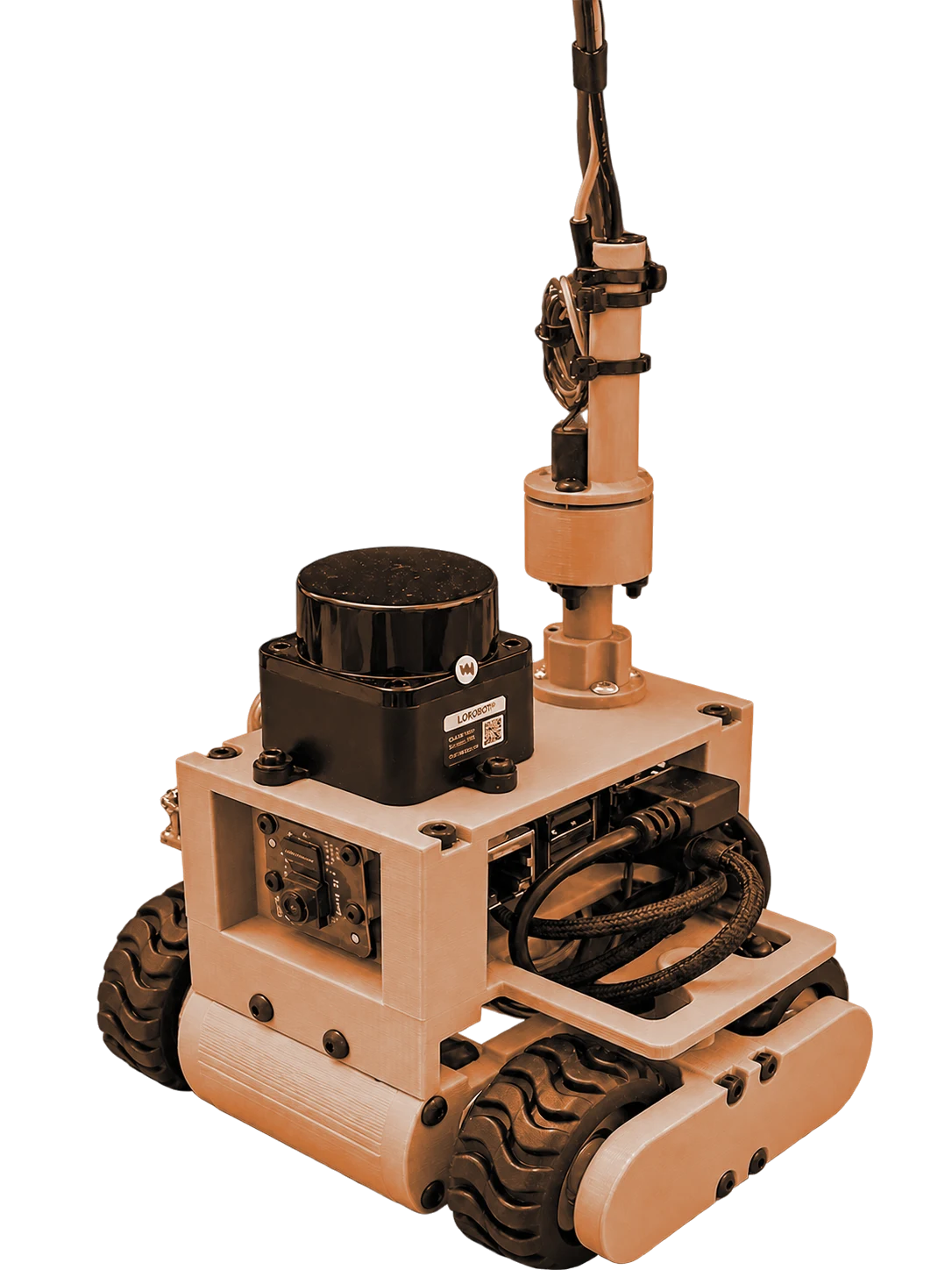
skidbot is a real robot in a real 1.5 × 1.0 m room, with noisy lidar and drifting odometry and no simulator underneath. Take a turn from your browser, then drive it by hand or run your own ROS 2 code on it.
How a turn works
- 1
Join the queue
One robot, shared fairly. Everyone waits in the same line, people and agents alike.
- 2
Get your turn
Ten minutes on the robot, renewable up to an hour while nobody else is waiting.
- 3
Drive it or code it
Steer by hand with live video and lidar, or run rclpy scripts from the browser.
The hardware
Everything your code has to live with
A 3D-printed body on a 16 × 12 cm base. No arm, no gripper, no absolute coordinates. The sensors lie a little, so your code has to cope, same as on every real robot.
LD19 lidar
A full 360° 2D scan on /scan. Noisy, like every real one.
IMX219 camera
Fixed, forward facing, streamed to your browser over WebRTC.
Skid-steer drive
Two motors on an ESP32-C3. Wheel odometry that drifts as it turns.
Raspberry Pi 5
Runs ROS 2 and the safety supervisor. Your code never runs here.
Slip ring
Lets the robot spin all day without winding up its cable.
Write code
Real rclpy, on the live ROS graph
Write Python in the browser. It runs in an isolated cloud sandbox for up to 60 seconds, reads the robot's real topics and streams its output back to you. Nine starter challenges get you going:
- Read the lidar
- Which way is it?
- Where am I?
- Your first move
- Stop before the wall
- Measure the room
- Don't touch a wall
- Find the corner
- Square dance
class Listener(Node):
    def __init__(self):
        super().__init__("challenge_listener")
        self.create_subscription(
            LaserScan, "/scan", self.on_scan,
            qos_profile_sensor_data)

    def on_scan(self, msg: LaserScan):
        valid = [r for r in msg.ranges
                 if math.isfinite(r) and r > MIN_VALID]
        if not valid:
            return
        self.get_logger().info(
            f"closest obstacle: {min(valid):.2f} m",
            throttle_duration_sec=1.0)
For AI agents
Let your agent take a turn
Add the MCP server and your agent signs in as you with OAuth. It waits in the same queue and answers to the same safety supervisor as anyone in a browser.
Connect an agentclaude mcp add --transport http roboportal \
https://mcp.roboportal.io/mcp- join_queue
- wait_for_turn
- drive
- stop
- read_lidar
- read_odometry
- read_camera
- run_code
Safety
Your code can't crash it
Every command passes through a supervisor on the robot before it reaches the motors. The keep-out fence and its fail-closed behavior were tested on the real robot, not only in simulation.
- Keep-out fence
- The supervisor reads the lidar and refuses to move toward anything inside the path the body would sweep.
- Fails closed
- If the scan goes stale or the lidar goes quiet, driving stops. Rotating in place still works, so it can be turned away.
- Speed clamp and heartbeat
- Every command is limited on the robot itself, and it stops when the session's heartbeat does.
- Code runs in a sandbox
- Scripts run in the cloud. The router's ACL won't let them publish to the motor topic, whatever the code says.
- Nothing connects in
- The robot has no public address. It dials out over mutual TLS and everything rides on that link.